
Downloading Learning Proficiency Reports in Genius
Log into your NDCDE account in our Student Information System: https://ndcde.geniussis.com/PublicWelcome.aspx
From within the student's dashboard, click "Learning Proficiency Reports" on the left-side of the screen.
Location of Learning Proficiency Reports for students and parents
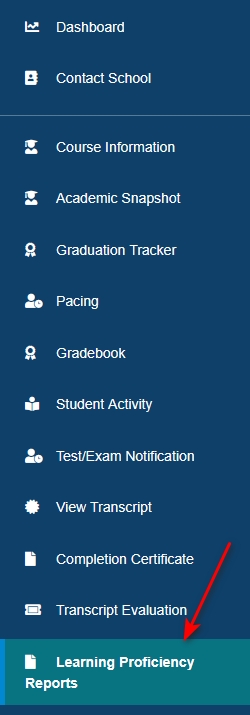
Location of Learning Proficiency Reports for non-student users
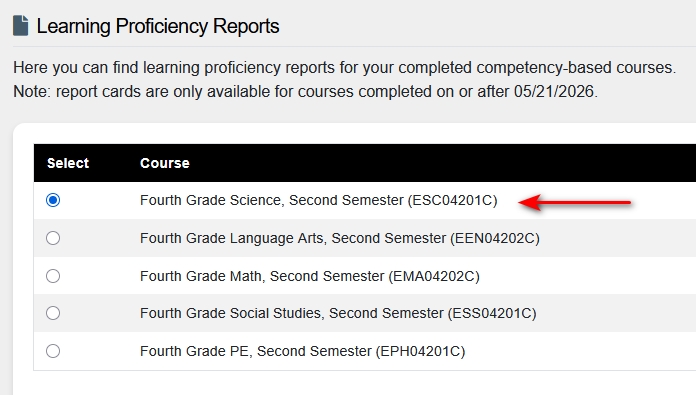
Downloading the Learning Proficiency Reports
Select the radio button next to the desired course:
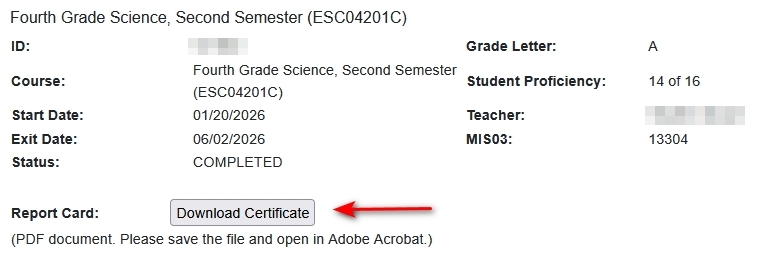
Click the Download Certificate button:
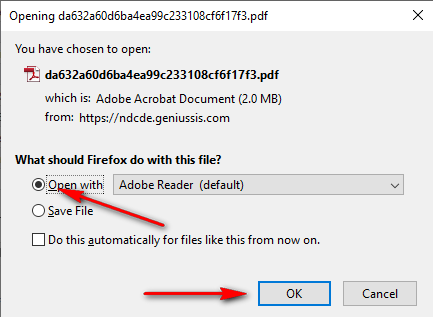
Depending on your device's settings and what browser you are using, the certificate should now automatically download or you will be prompted to open/save the file:
Contact us at ndcde.enroll@k12.nd.us or 701-298-4839 if assistance is needed.